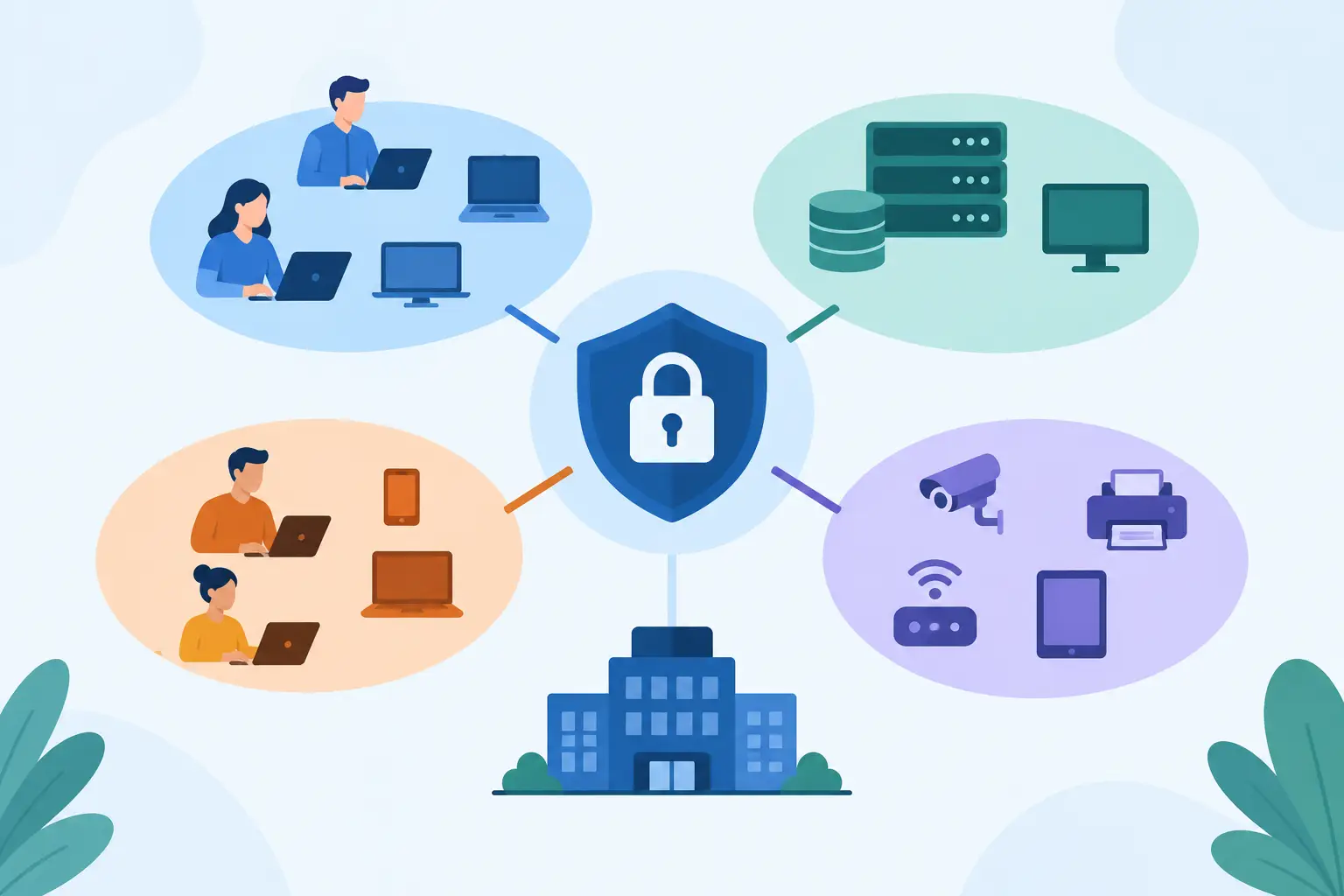
A guest connected to office Wi-Fi should not be able to reach accounting files. A compromised security camera should not have a path to your Microsoft 365-connected workstations. Yet many small and midsize businesses still operate one flat network where every connected device can potentially communicate with everything else. This business network segmentation guide explains how separating network traffic reduces the reach of a cyber incident without making daily operations harder for your staff.
Network segmentation is not only a concern for large enterprises. A professional office in Naples, a construction company in Fort Myers, or a hospitality business in Bonita Springs may depend on cloud applications, VoIP phones, payment systems, cameras, mobile devices, and vendor-managed equipment. When all of those systems share the same network space, one weak point can create a much larger business problem.
What Business Network Segmentation Means
Network segmentation divides a business network into separate, controlled areas. Each area, often called a segment or VLAN, is designed for a defined group of users, devices, or services. Rules in the firewall determine what can move between those areas.
Think of it as putting secured doors between departments in an office building. Employees can still reach the systems they need to do their work, but a visitor cannot wander into payroll, and a delivery driver cannot enter the server room. The goal is not to isolate everything completely. The goal is to permit necessary traffic and block unnecessary traffic.
For example, an employee workstation may need to access a cloud application, a shared printer, and a VoIP phone system. It usually does not need direct access to the network that manages security cameras or the equipment used by a guest. Segmentation makes that distinction enforceable.
This approach limits lateral movement. If ransomware infects one computer, or if an internet-connected device is compromised, an attacker has fewer routes to sensitive files, business systems, and other devices. That can reduce downtime, protect confidential information, and make recovery more manageable.
Business Network Segmentation Guide: Start With What Matters
The best segmentation plan begins with business operations, not a diagram full of technical labels. Before creating new network zones, identify what your company depends on each day and what would cause the most disruption if it became inaccessible or exposed.
Start by documenting devices, users, applications, and connections. Include laptops, desktops, servers, printers, mobile devices, access points, phones, cameras, alarm panels, conference room equipment, and any specialty hardware. Many businesses discover older devices or vendor-installed systems during this step that were never included in a formal IT inventory.
Then identify where sensitive information lives. That may include client records, financial documents, employee data, healthcare-related information, project files, payment systems, or intellectual property. Consider who needs access, from which devices, and whether that access is required all the time.
A practical plan often separates the network into areas such as employee devices, servers or business applications, voice systems, guest Wi-Fi, building and IoT devices, and administrative management tools. The right number of segments depends on the size of the business and its operations. A 15-person accounting firm does not need the same architecture as a multi-location organization, but both benefit from clear boundaries.
Separate Guests and Personal Devices First
Guest Wi-Fi is frequently the easiest and highest-value place to start. Clients, visitors, contractors, and employees using personal devices can receive internet access without receiving a route into your business network.
A properly configured guest network should be isolated from employee workstations, shared files, printers, phones, and network administration tools. It should also have its own password or guest access process. Simply giving visitors a different wireless password does not provide meaningful protection if both wireless networks still use the same unrestricted network segment.
Isolate Cameras, Door Systems, and IoT Equipment
Internet-connected cameras, smart TVs, access-control systems, environmental controls, and similar devices are useful, but they are not managed like a business laptop. They may have limited security settings, irregular software updates, or vendor support that requires remote access.
Place these systems in a dedicated segment and allow only the connections they need. A camera may need to communicate with its recording system and authorized viewing software. It does not need open access to accounting computers or employee file shares. This is especially relevant for offices with security systems, hospitality locations, and businesses managing multiple job sites.
Protect Administrative Access
Network equipment, servers, cloud management tools, and security platforms should not be administered from every employee computer. Administrative access deserves its own controls, including separate accounts, multi-factor authentication, and limited network paths.
For many small businesses, a dedicated management segment is appropriate for IT administration and infrastructure devices. This reduces the chance that a compromised workstation can be used to take control of the systems that protect the rest of the environment.
Make Firewall Rules Specific and Tested
Segmentation only works when the connections between segments are governed by clear rules. A common mistake is creating separate VLANs and then allowing all traffic between them for convenience. That restores most of the risk while adding complexity.
A better approach is to begin with a default-deny mindset between sensitive segments. Permit only the traffic required for a documented business purpose. An employee network might be allowed to reach a file server on the ports needed for file access, while guest Wi-Fi is allowed to reach the internet only. A phone network may communicate with the VoIP provider and approved management services, but not with sensitive workstations.
These rules should be tested before broad deployment. Printers, phone systems, line-of-business applications, and remote support tools sometimes depend on connections that are not obvious at first. The answer is not to open everything permanently. Instead, identify the required connection, document it, and permit it as narrowly as practical.
This is where experienced planning matters. Segmentation that is too loose provides little protection. Segmentation that is too restrictive can interrupt calls, printing, vendor applications, or access to critical data. The right balance protects the business while keeping operations reliable.
Plan for Cloud Services and Remote Work
A segmented office network remains valuable even when much of your work happens in Microsoft 365, cloud applications, or virtual desktops. Employees still use local networks to access the internet, printers, phones, and other business resources. A compromised device can still create risk through stolen credentials, fraudulent email activity, or access to cloud sessions.
Remote users need separate consideration. Require multi-factor authentication, managed devices where possible, current security updates, and secure methods for reaching internal resources. Avoid treating a home computer or an unmanaged personal device as if it belongs on the same trusted path as a company-managed workstation.
For businesses using Amazon WorkSpaces or other cloud desktops, segmentation can help ensure that office devices, local printers, and access methods are limited to the people and systems that require them. The design should follow the workflow, not force staff into unnecessary workarounds.
Keep Segmentation Managed Over Time
Network segmentation is not a one-time installation. New phones, cameras, cloud applications, office expansions, and vendor equipment can all change what the network needs to support. Without documented standards, temporary exceptions tend to become permanent gaps.
Review network devices and firewall rules regularly. Remove access for retired equipment, change default passwords, apply updates, and confirm that guest and IoT networks remain isolated. Monitor for unusual traffic between segments, repeated access failures, or unknown devices joining the network. These signals can reveal configuration issues or early signs of a security event.
Documentation is equally important. A clear record of network segments, device types, IP ranges, firewall rules, and vendor dependencies helps support teams resolve issues faster. It also prevents the business from relying on one person who happens to know how everything was set up.
For Southwest Florida businesses without a full internal IT department, managed network oversight provides accountability after the initial work is complete. Prisca Nova can align segmentation, firewall management, cybersecurity protection, and responsive local support under a predictable flat-rate service model, with a one-hour response commitment when technology issues need attention.
A well-segmented network should be almost invisible to employees. They should be able to work, call clients, print documents, and use the applications they need. Behind the scenes, the business has placed meaningful limits on how far a mistake, failed device, or cyberattack can travel.